A still or a thumbnail, from your video.
Step to the exact frame and cut it at the video's own resolution: whole, as a 16:9 thumbnail, a 9:16 cover or a square.
Runs in your browser. Nothing is uploaded, no signup.
Watch an example
13 seconds · a made-up example


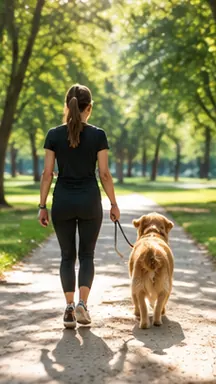

The studio cuts a still of every shot, so a video can be reviewed at a glance.Join the beta
How it works
Short and checkable: every limit links to the platform's own page, read on 28 Oct 2026.
Frame by frame
The arrows move one frame at a time. The step comes from the file's real frame rate when it can be read (MP4 and MOV); otherwise 30 frames a second is assumed, and the page says so.
Cut at full resolution
The still is drawn from the video itself, not from the preview, so a 4K video gives a 4K still. Pick a shape and slide the crop to frame what matters.
Checked for YouTube
YouTube asks for 16:9 thumbnails at least 640 px wide (9:16 and 640 px high for Shorts), in JPG or PNG, up to 2 MB from the app and 50 MB on a computer. A thumbnail you cut is checked against that.
What it doesn't do
- It can only show what your browser can play: some HEVC or ProRes files open in one browser and not another.
- It doesn't add text or design a thumbnail — it gives you the clean frame to start from.
- Your video never leaves this device.
Questions
How do I get a still from a video at full quality?
Pause on the frame, step with the arrow keys, and save it: the picture is cut at the video's own resolution, not a screenshot of the player.
What size should a YouTube thumbnail be?
16:9, at least 640 px wide (1280 × 720 is the usual size), JPG or PNG, 2 MB from the app. Shorts use a 9:16 picture.
Is my video uploaded?
No. The video plays in your browser and the frame is drawn on your computer.
Sources
- 1YouTube Help — Custom thumbnails: 16:9 (9:16 for Shorts), at least 640 px, JPG or PNG2 MB from the app, 50 MB on desktop · read 28 Oct 2026
More free tools
All 25 tools- Make the videoShort video analyzerWhy does this short work?
- Make the videoScript timerHow long will this script run?
- Make the videoAuto subtitlesNo subtitles yet? Make them here.
- Make the videoVideo to textNeed the words of a video as text?
- Make the videoBurn subtitlesSubtitles that stay on TikTok and Reels?
- Make the videoSubtitle checkerCan people read your subtitles in time?
Every shot, its own still.
Vertiscale cuts a still of every shot of every video it makes, so you review a whole version at a glance before it goes to its account.